

主机列表如下:
[felix]
172.16.1.7:52113
172.16.1.8:52113
172.16.1.31:52113
172.16.1.41:52113
[nfs]
172.16.1.31
172.16.1.32
[backup]
172.16.1.41
[web]
172.16.1.[7:8]
实现:
第一步准备环境:
当然ansible的密钥已经向节点批量分发完毕
测试所有受管节点是否存活:
[root@m01 ~]# ansible all -m ping
172.16.1.7 | SUCCESS => {
    "ansible_facts": {
        "discovered_interpreter_python": "/usr/bin/python"
    },
    "changed": false,
    "ping": "pong"
}
172.16.1.8 | SUCCESS => {
    "ansible_facts": {
        "discovered_interpreter_python": "/usr/bin/python"
    },
    "changed": false,
    "ping": "pong"
}
172.16.1.41 | SUCCESS => {
    "ansible_facts": {
        "discovered_interpreter_python": "/usr/bin/python"
    },
    "changed": false,
    "ping": "pong"
}
172.16.1.31 | SUCCESS => {
    "ansible_facts": {
        "discovered_interpreter_python": "/usr/bin/python"
    },
    "changed": false,
    "ping": "pong"
}
模拟环境:
ansible all -m shell -a 'mkdir -p /backup /server/scripts'
ansible web -m shell -a 'mkdir -p /upload /var/html/www /app/logs'
ansible nfs -m shell -a 'mkdir -p /data'
rsync全网备份:
编写playbook
[root@m01 ~]# tree ansible/
ansible/
├── file
│?? ├── confxml.xml.j2
│?? ├── mail.rc.j2
│?? ├── rsyncd.conf.tp
│?? ├── sersync
│?? ├── sersync.service
│?? ├── timing_backup-client-all.sh.j2
│?? ├── timing_backup-client-web.sh.j2
│?? ├── timing_backup-servs.sh.j2
│?? └── tools
│??     └── sersync_64bit.tar.gz
└── rsync_nfs_rersync_onekey.yml
2.实现web01 web02 挂载nfs到 /upload目录,实现开机自动挂载和解决nfs耦合性过高问题
3.实现nfs共享的目录与backup服务器通过rersync进行实时同步
测试:
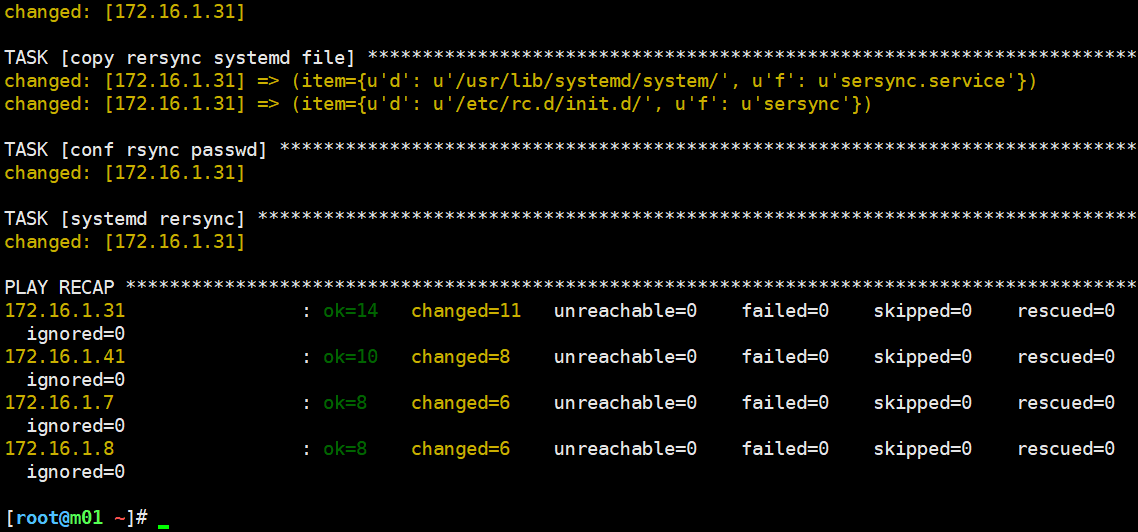 nice!
nice!







评论